Online Compiler
A browser IDE for editing, running and debugging code, with an interactive console and Arduino / ESP32 simulation.
About the project
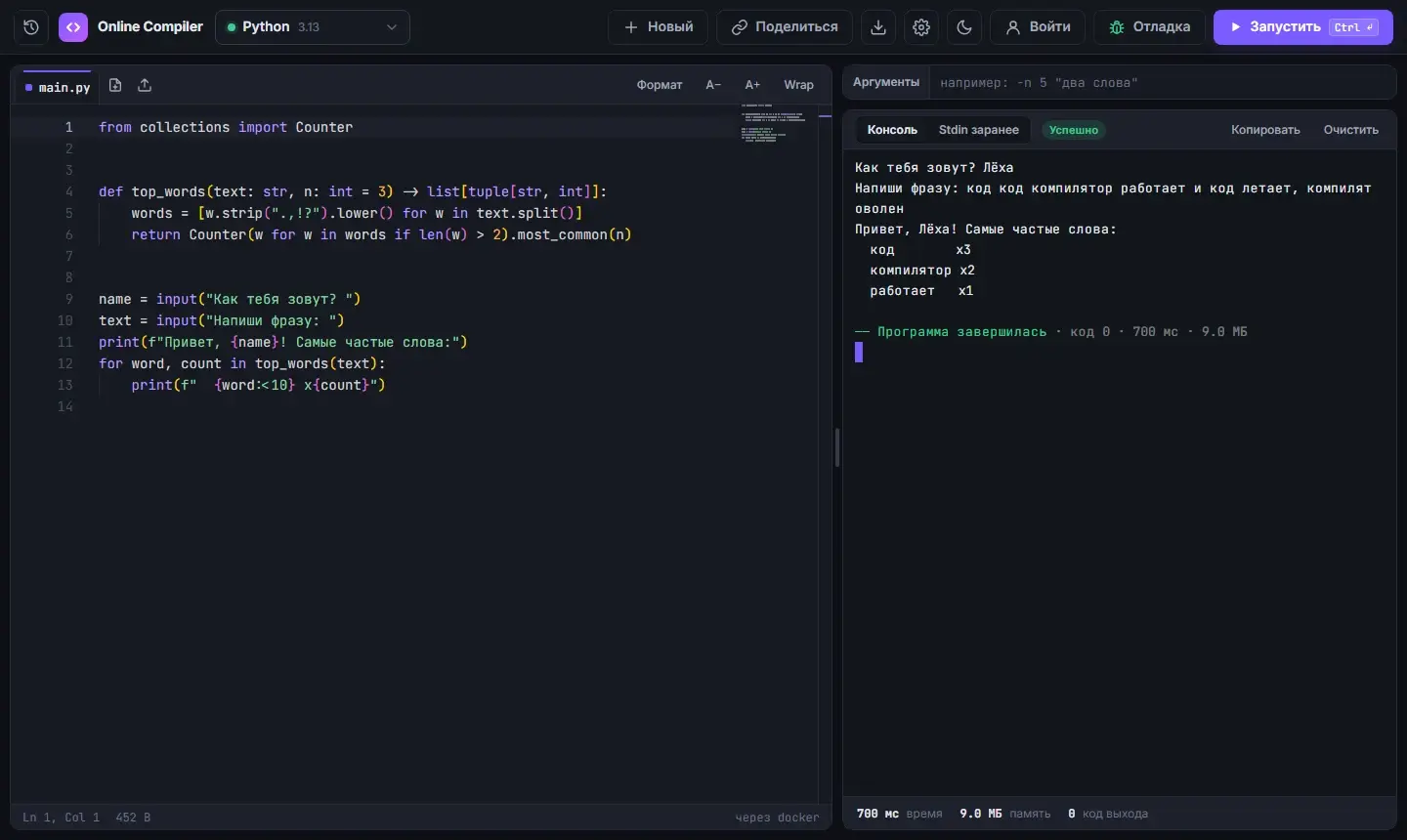
Online Compiler is a browser IDE with its own server-side execution engine. Programs run on the server and local Docker images rather than through Judge0 or Piston. Monaco Editor handles editing, while xterm.js and WebSocket provide a real-PTY interactive console.
Beyond text-based code, the environment includes Scratch 3, Blockly, examples, debugging and microcontroller simulation. Arduino Uno is emulated in the browser; ESP32 scenarios use QEMU. The supplied portfolio version describes 41 supported languages, debuggers for seven languages and a library of checked reference snippets.
The challenge
Unify editing, execution, console input and debugging in one browser environment with an independent execution engine.
What we built
Monaco Editor, multiple files and a program-example library.
A real interactive terminal supporting stdin, Ctrl+C and Ctrl+D.
Custom code execution and Docker environments for programming languages.
Debuggers and automated checks of reference snippets.
Blockly, Scratch 3, a stage and sprites for visual programming.
Arduino/ESP32 simulation and environment CI checks.
Technology stack
Architecture & technology roles
- Python
- Data processing, automation and server-side components.
- Django
- Server routes, data models and web-application logic.
- PostgreSQL
- Relational storage of connected data and transactional consistency.
- WebSocket
- Bidirectional event exchange without repeatedly polling the server.
- Monaco Editor
- Code editing inside the browser environment.
- xterm.js
- An interactive terminal interface in the browser.
- Docker
- Reproducible environments and container-based component startup.
How it works
- Choose a language, example or block-based environment.
- Write a program and run it through the execution engine.
- Interact with the console or inspect execution in the debugger.
Project gallery
Have a challenge? Let’s solve it.
Tell us what you need. We’ll clarify the details and suggest the next step.
Discuss your project